 AIImpish
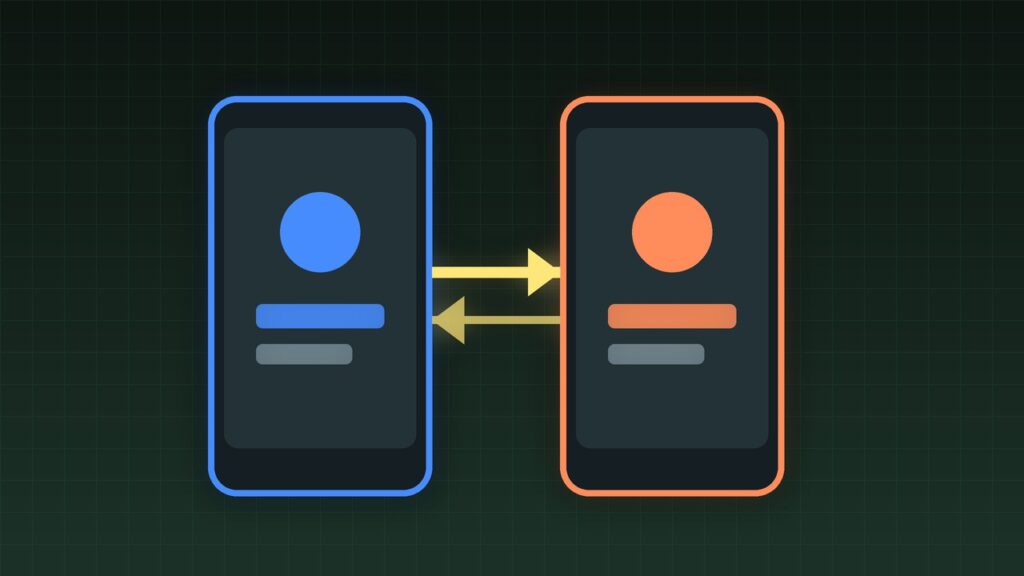
OpenAI’s apps now support multiple accounts on one device. You can add a second login, switch between work and personal profiles, and keep each account’s history separate. Here is how to set it up on iOS and Android, plus the gotchas that still trip people up.
Coffee summary
- FACT: OpenAI’s October 30, 2026 ChatGPT release notes say account switching is rolling out on the ChatGPT iOS and Android apps: stay signed in to up to two accounts and switch without signing out.
- FACT: OpenAI’s Help Center article on multiple ChatGPT accounts describes Settings → Switch account / Add account, with separate chats, memory, settings, and subscriptions per account.
- FACT: Each account keeps its own history and plan; switching does not merge threads.
- CLAIM: If Switch account is missing, the rollout may not have reached your build yet—update the app before assuming you are excluded.
- OPINION: Prefer the official switcher over logging out/in or juggling browsers; it is cleaner session hygiene.
What happened
For a long time, the practical way to run two ChatGPT identities on a phone was painful: log out, log in, or keep a second browser profile. As of the October 30, 2026 release notes, ChatGPT on iOS and Android is rolling out account switching so you can stay signed into up to two accounts and flip between them without wiping local state.
The same multi-account direction shows up in desktop and Codex-related notes: one human may hold a personal Plus account and a work seat, or a ChatGPT plan and a Codex workflow, and needs both without constant re-authentication.
Why it matters
People mix personal brainstorming with work prompts that may include proprietary text. Separate accounts make it harder to paste the wrong project into the wrong workspace—and make it clearer which subscription’s limits you are burning. If your company uses ChatGPT Business or Enterprise, keeping a personal account on the same phone without logging out of work is now a supported path rather than a hack.
What changed, at a glance
| Need | Approach |
|---|---|
| Up to two logins on one phone | Settings → Switch account → Add account |
| Separate histories | Each account stores its own chats |
| ChatGPT + Codex same login | Shared allowance rules may apply (see OpenAI notes) |
| Old workaround | Log out / second browser — no longer required for most users |
Who should care
- Anyone with a work ChatGPT seat and a personal Plus/Free account on the same phone.
- Freelancers who invoice under one email and experiment under another.
- Parents or shared-device households that need distinct OpenAI logins without factory-resetting the app.
Limitations and open questions
- App version matters. If you do not see Add account, update from the App Store or Play Store first.
- MDM / work profiles. Company-managed phones may block a second login even when the consumer app supports it.
- Subscriptions do not stack into one meter across different OpenAI accounts; each account has its own plan.
- Shared ChatGPT–Codex allowance applies when both products sit on the same OpenAI account—not across two unrelated emails.
- Voice, Projects, and custom GPTs follow the active account; switch before you open a Project you care about.
What to do next
- Update the ChatGPT app on iOS or Android.
- Open Settings → Switch account, then Add account for the second login.
- Sign in with the second email or SSO path your org uses.
- Label mentally: work vs personal—then switch before pasting sensitive text.
- Optional: On desktop, confirm the same accounts appear so Projects stay aligned across devices.
AIImpish Take
Two accounts on one phone used to be a logout ritual. The official switcher makes the safe default easy: keep work and personal cleanly separated, update the app, and stop sharing one history across two lives.
Related on AIImpish
- ChatGPT and Codex Will Share One Usage Allowance in December
- ChatGPT Pro Gets Double the Work and Codex Usage, Plus Free Monthly API Credits
- GPT-6.1 Terra: OpenAI’s Cheaper Model for Computer Use and Everyday Work
Sources: Using multiple ChatGPT accounts on web and mobile; ChatGPT release notes (Oct 30, 2026 account switching); ChatGPT iOS and Android app FAQ.