 AIImpish
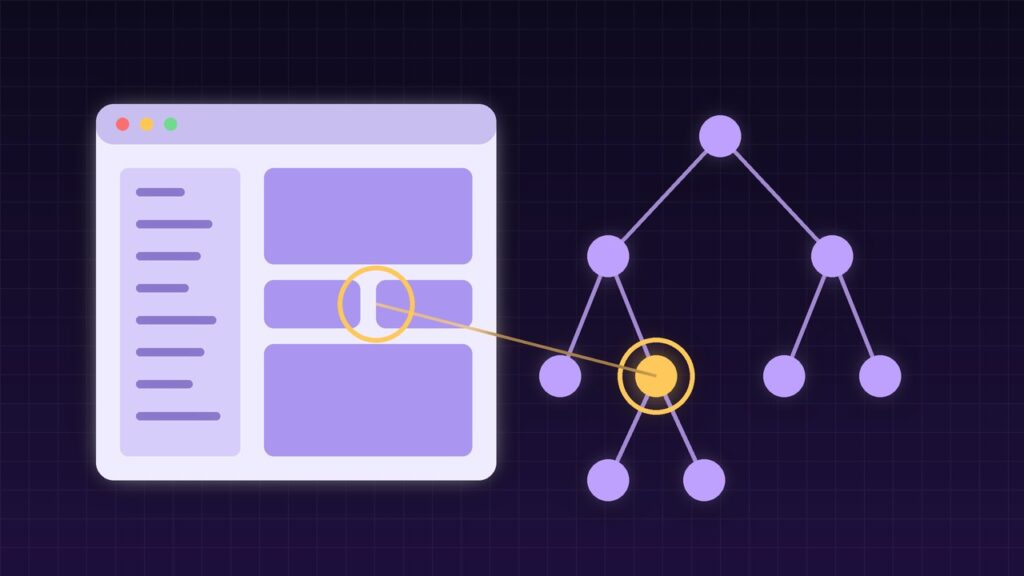
Most AI agents that use a computer work from screenshots: look at the pixels, guess where a button is, click, and hope. Vercel Labs’ open-source agent-desktop takes a different route. It reads the accessibility tree, the same structured map of buttons, menus, and text fields that screen readers use, and lets an agent act on those elements directly. Version 1.0 shipped on October 28, 2026, with a 1.0.2 update on October 30.
Coffee summary
- FACT: agent-desktop is an Apache-2.0 command-line tool and C library, written in Rust, for macOS, Windows, and Linux.
- FACT: A “snapshot” returns JSON with a reference ID for every element an agent can act on.
- FACT: Actions are headless by default: they go through the accessibility API without moving the pointer or taking focus.
- FACT: It ships 60 command names, 56 of them operational.
- FACT: Install with
npm install -g agent-desktop.
What happened
Vercel Labs has been building agent-desktop on GitHub since February 2026. The 1.0.0 release landed on October 28, and MarkTechPost covered the open-source launch on October 31. By November 1, the repository had about 7,000 GitHub stars.
The tool is deliberately small in scope. It does not include its own AI model. It gives any agent you already use, such as Claude Code or Codex, a reliable way to see and operate desktop apps. As the README puts it, “the loop stays in your agent.”
How it works
The basic loop is observe, act, observe again:
agent-desktop snapshot --app Finder -i
agent-desktop click @s8f3k2p9:e8
agent-desktop snapshot --app Finder -i
Each element reference includes the snapshot it came from. If the screen changes, an action returns STALE_REF or AMBIGUOUS_TARGET, and the agent takes a fresh snapshot instead of clicking the wrong thing. Every error includes a field that says whether a retry is safe.
For busy apps, a --skeleton option maps the window first so the agent can zoom into one region. You can add the tool to an agent with npx skills add or a short note in your AGENTS.md file.
Screenshots vs. accessibility tree
| Screenshot-based agents | agent-desktop | |
|---|---|---|
| What the agent sees | Pixels | Named UI elements with roles and actions |
| Needs a vision model | Usually | No |
| Pointer and focus | Often takes over | Headless by default |
| Weak spot | Misreading the screen | Apps with poor accessibility support |
Why it matters
OPINION: Pixel-based computer use is slow and fragile. Structured data is cheaper to process and easier to check. This is the same idea behind Microsoft’s Mage-VL-Cowork, which switches to code when clicking is the worse tool: use the most reliable channel available.
It also helps accessibility. Apps that expose good accessibility data work better for screen-reader users and for agents alike.
Who should care
- Agent builders who want desktop control without training or hosting a vision model.
- Automation teams working with native apps that have no API.
- Developers testing desktop apps, who can script checks against real UI elements.
Limitations
- Accessibility quality varies. Apps with poor or custom UI frameworks may expose little useful structure.
- Platform gaps. On Linux, mouse input needs X11 and the
--headedflag, and some window controls are X11-only. - Permissions. macOS needs Accessibility permission. Granting it gives the tool broad control of your Mac.
- Privacy. The README warns that snapshots, screenshots, and clipboard reads can contain private data. An optional helper sends screen descriptions to a model provider.
- Packaging. Official Homebrew and Scoop packages are not yet in the default catalogs.
What to do next
- Install it on a test machine or user account and run
agent-desktop permissions --guideon macOS. - Read the built-in docs with
agent-desktop skills get desktopandskills get platform. - Start with read-only snapshots to see how well your key apps expose their UI.
- Keep logs private and out of public bug reports.
- Add human approval in your agent for anything that sends, deletes, or pays.
AIImpish Take
agent-desktop is plumbing, not magic, and that is its strength. Giving agents structured access to real app controls is cheaper and more reliable than reading screenshots. If you build desktop agents, it is worth a test run this week, on a machine you don’t mind it controlling.
Related on AIImpish
- Microsoft’s Mage-VL-Cowork: A 4B Open Model That Knows When to Click and When to Code
- GPT-6.1 Terra: OpenAI’s Cheaper Model for Computer Use and Everyday Work
*Sources: Vercel Labs, agent-desktop on GitHub; agent-desktop releases on GitHub; agent-desktop on npm; MarkTechPost, Vercel Labs Open-Sources agent-desktop for Agent Computer Use.*