 AIImpish
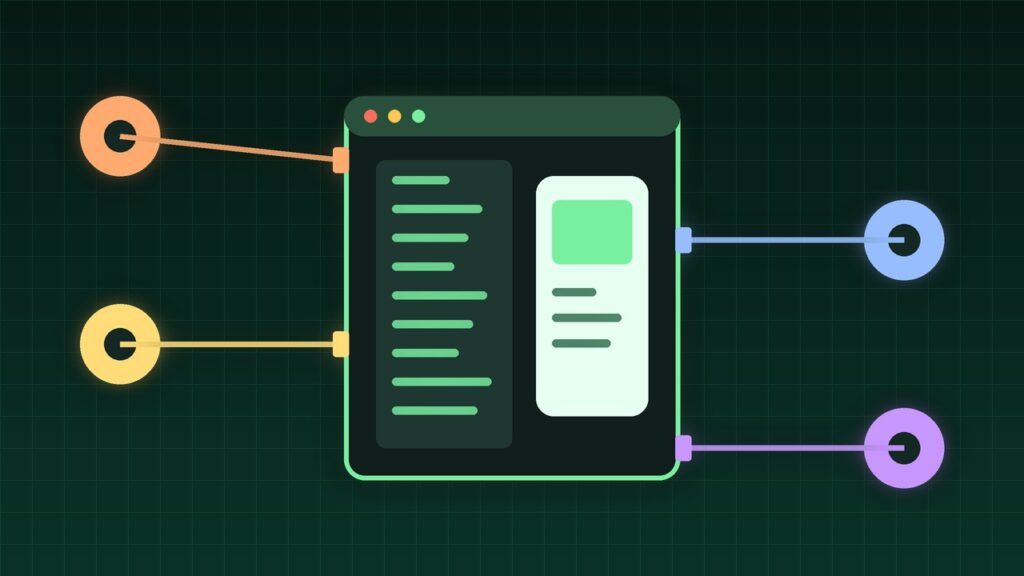
Android developers no longer have to pick between their favorite coding agent and Android Studio. With Android Studio Rabbit 2, now stable, Google’s Bring Your Own Agent feature lets you plug in more than 40 coding agents, including Anthropic’s Claude Agent, OpenAI’s Codex, JetBrains’ Junie, and Google Antigravity. Those agents can then use the IDE’s own tools, from the emulator to Logcat. Google announced the stable release at Android Dev Summit on October 28, 2026.
Coffee summary
- FACT: Bring Your Own Agent (BYOA) is stable in Android Studio Rabbit 2. It first appeared in a Canary preview on September 24.
- FACT: It supports over 40 agents that use the open Agent Client Protocol (ACP), a standard way for editors to talk to coding agents.
- FACT: Agents get access to Android Studio tools such as the Android Emulator, build systems, Logcat, and Compose Previews.
- FACT: Google also released official Android CLI plugins for Claude Code and Codex.
- CLAIM: Google says agents using the new
android previewcommand finished UI tasks 77% faster with up to 3x fewer tokens in internal testing.
What happened
Google’s Android team used its Dev Summit to push one message: use any agent, any model, with Android tools. In the IDE, that means BYOA. In the terminal, it means Android CLI, which any agent or CI pipeline can call.
The appeal is context. Google says Android Studio passes the project structure, build setup, and platform details to the agent through ACP, so the agent can pick relevant files instead of guessing. The IDE also wires in Android-specific tools so the agent can build, test, and check its own work.
How to set it up
- Update Android Studio to the latest stable release, Rabbit 2.
- Open the agent window and choose an agent, or browse more at Settings > Tools > AI > Agents.
- Sign in or add an API key. Usage comes from your plan with that agent’s provider.
- Install more than one if you like, and switch between them as you work.
For terminal users, Google lists these commands to add the Android CLI plugin:
claude plugin marketplace add android/android-cli-plugin
claude plugin install android-cli@android-cli-plugin

codex plugin marketplace add android/android-cli-plugin
codex plugin add android-cli@android-cli-plugin
Other agent features worth knowing
| Feature | What it does | Status |
|---|---|---|
| Change Review | Reviews agent changes or commits; also via /review |
Stable |
| Skills manager | Install and manage official Android and Firebase skills | Stable |
android preview |
Renders Compose Previews from the terminal | Android CLI |
| Migrate to Compose | Converts XML layouts to Jetpack Compose | Canary |
| Fix with AI for leaks | Explains and suggests fixes for memory leaks | Canary |
Why it matters
OPINION: Many teams already pay for Claude, Codex, or another agent. Forcing them to use a different assistant inside the IDE was friction. BYOA removes it, and gives Android Studio a role as the place where any agent gets the best Android tools.
Google also says that if one agent runs out of quota or underperforms, another can take over. That flexibility matters as usage limits keep shifting across AI plans.
Who should care
- Android developers who already use Claude Code or Codex in the terminal.
- Enterprise teams that must use a specific AI provider under an existing agreement.
- Gemini users, since Google now recommends the Antigravity agent in Android Studio for its newest models.
Limitations
- Costs move, not vanish. Agents use your own plan or API key, so heavy use can drain your allowance.
- Vendor numbers. The 77% speed-up and token savings are Google’s internal results, not independent tests.
- Some features are Canary-only, including Migrate to Compose and Fix with AI for memory leaks.
- Permissions still matter. Agents can read and write files and run shell commands. Google says permissions let you require approval for riskier actions; use them.
What to do next
- Try one agent on a side project before using it on production code.
- Turn on approval prompts for shell commands and file deletes.
- Run Change Review on agent edits before you commit.
- Check Android Bench, Google’s leaderboard for models on real Android tasks, before picking a model.
AIImpish Take
BYOA is a practical win: keep your favorite agent and get Android Studio’s tools on top. The real value is the plumbing, not any single model. Start small, keep approvals on, and let Change Review catch what the agent misses.
Related on AIImpish
- GitHub Copilot Fusion: Stop Picking Models, Pick an Effort Level
- Gemini Can Now Create and Edit Your Docs, PDFs, Slides, and Spreadsheets Right in the Chat
*Sources: Android Developers Blog, Your favorite agents are now integrated in Android Studio; Android Developers Blog, What’s new in Android developer tools and performance at Android Dev Summit; Android Developers Blog, Build your way: Use any AI agent of your choice in Android Studio; Digital Trends coverage.*